An MVP should include only the features a customer needs to complete one job from start to finish and pay you for it. For a SaaS product that's accounts, the core workflow, billing and enough support tooling to run it. Everything else waits until a paying customer asks.
Deciding is harder than it sounds, because every feature on a list seems reasonable on its own. Here's a method for sorting them, and a list of what usually makes the cut.
What are the core features of an MVP?
The core features of an MVP are the ones without which the product can't deliver its promise or take payment. For a SaaS product, there are two groups:
- The core workflow: the steps from the customer's starting point to the result they're paying for.
- The essentials: what lets you sell and run the product, such as accounts, billing and error monitoring.
The first group makes the product different. The second is the same for almost every SaaS, so it should be built simply, using proven services where possible.
How do you decide which features to include?
To decide which features belong in an MVP, start from the one job a customer will pay for and remove everything that job doesn't need. Five steps make that practical:
- Write one sentence. "[Customer] uses this to [job] so that [result]." If you can't, you're not ready to list features.
- Walk through the job step by step. Anything a customer can't finish without is a must.
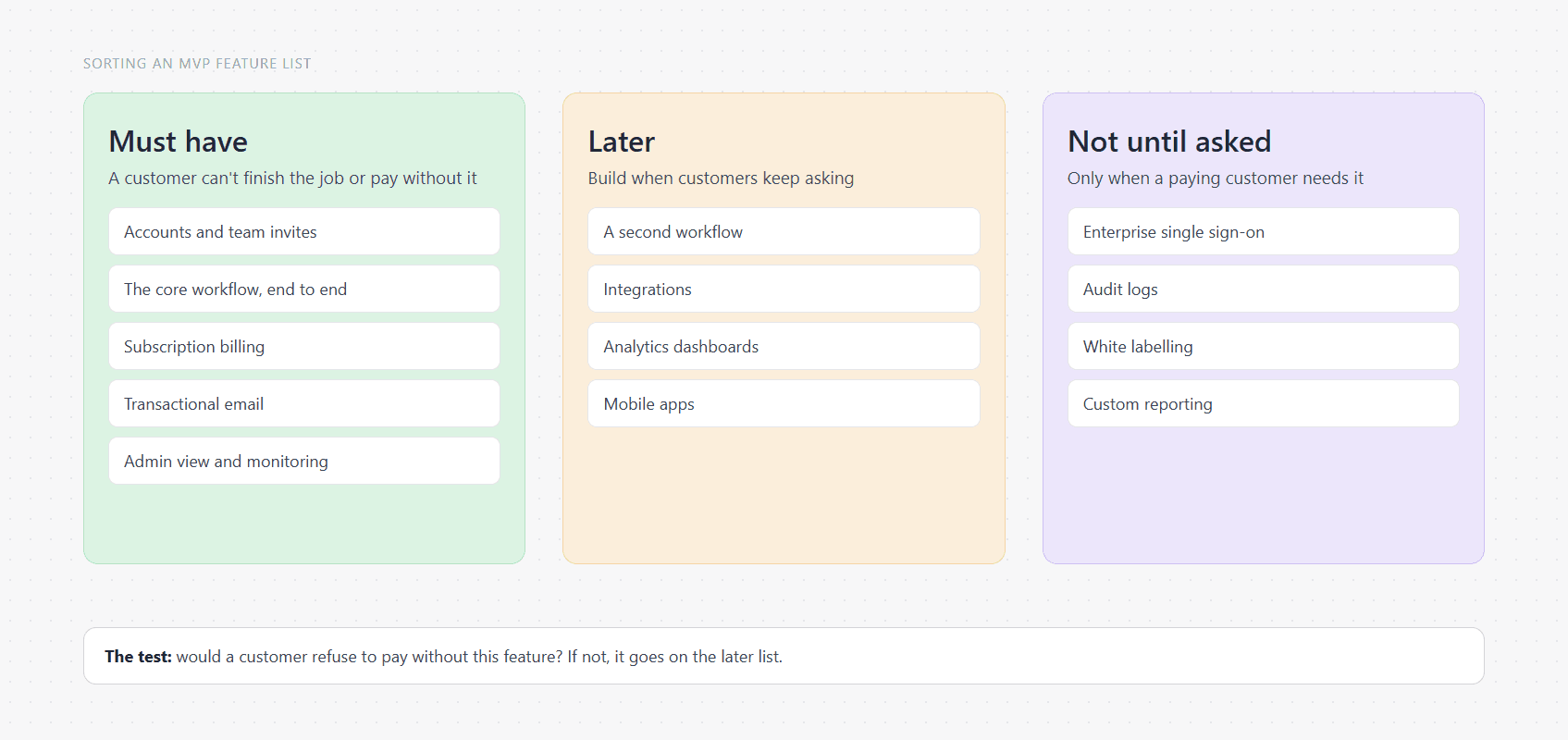
- Challenge every other item. Ask: would a customer refuse to pay without this? Most features fail that test.
- Look for a manual stand-in. If your team can do something by hand for the first ten customers, the feature can wait.
- Write the exclusions down. A list of what's out is what keeps the scope stable when new ideas arrive.
The manual stand-in is the most useful step. Onboarding, reporting and data imports can often be done by your team at first, which also teaches you what to automate.
Which features should a SaaS MVP include?
A SaaS MVP should include accounts, team invites, the core workflow, billing, transactional email, an admin view and monitoring. That's shorter than most first drafts. In full:
- Sign-up, login and password reset.
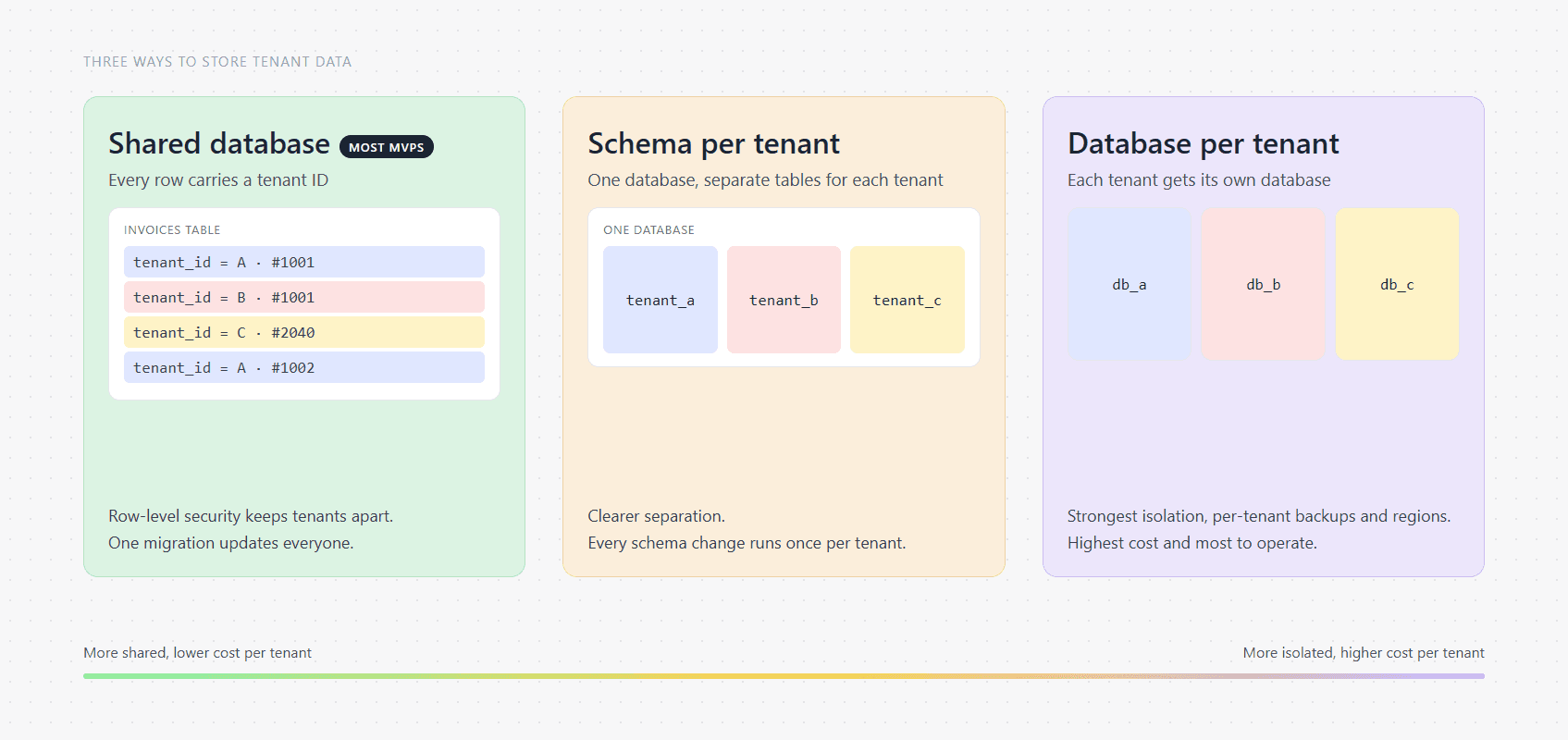
- An account for each customer company, with its data kept separate.
- Teammate invites, with at least two roles.
- The core workflow, finished end to end.
- Subscription billing.
- Transactional email: invites, receipts and password resets.
- A simple admin view for your own team.
- Error monitoring, backups and tests on the parts that handle money and data.
Separating customer data is the one item that's very expensive to add later, which is why it's on the list even for a very small product. We explain why in multi-tenant SaaS architecture.
Which features should wait?
Second workflows, mobile apps, unrequested integrations and enterprise features should all wait until a paying customer asks for them, however reasonable they seem now. The usual list:
- A second or third workflow.
- Native mobile apps, when a responsive web app will do.
- Integrations nobody has asked for by name.
- Customer-facing analytics dashboards.
- Enterprise single sign-on and audit logs.
- White labelling and custom branding.
- Multi-language support.
None of these is a bad idea. They're just bets on what customers will want, and an MVP exists to find that out. If your first customers are large companies, single sign-on may move up the list, and that's fine, as long as a customer actually said so.
How do you stop the feature list growing?
You stop the list growing by giving new ideas somewhere to go. Keep a "later" list and add every new idea to it, so it's recorded without entering the build. Then hold one rule: anything added to the first version must replace something of equal size.
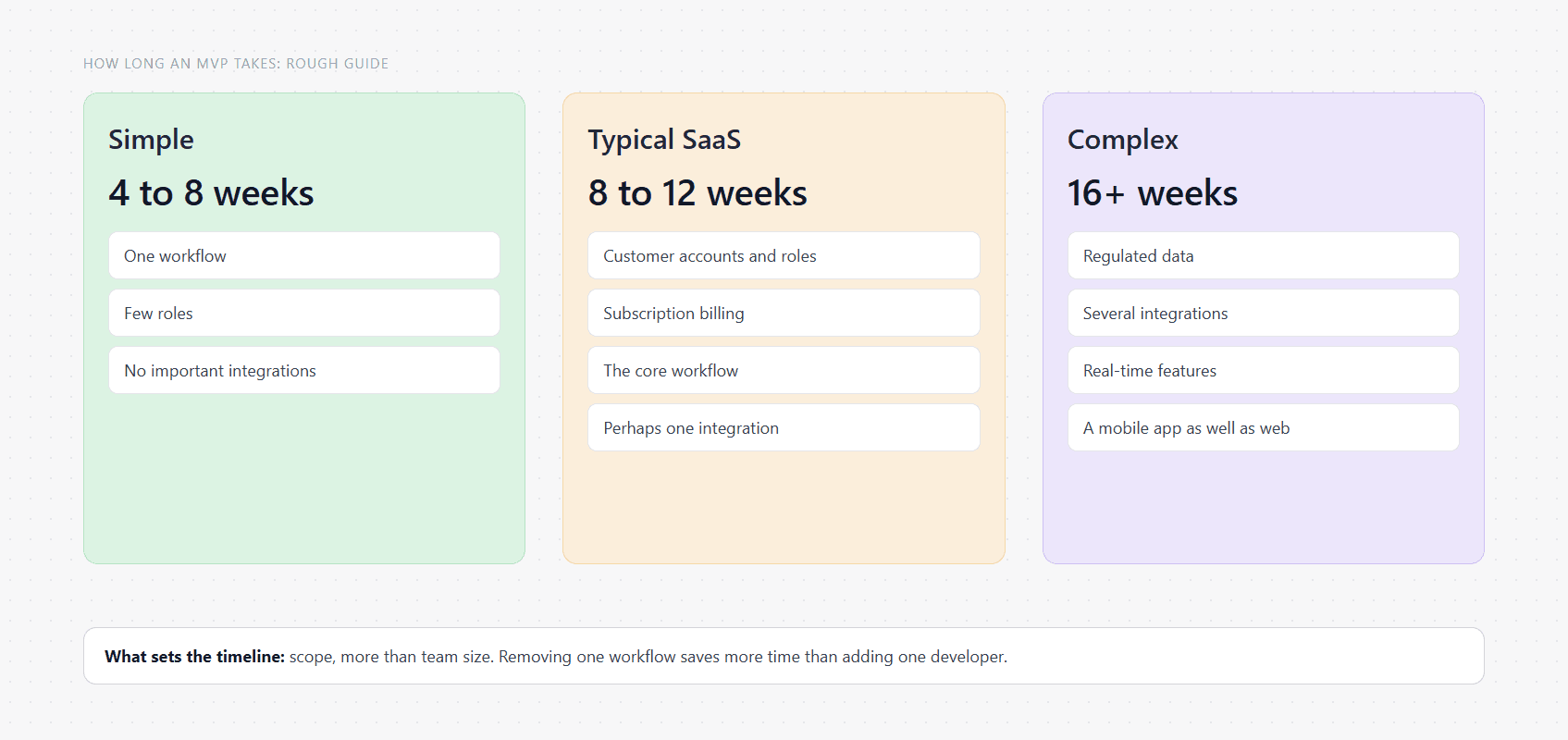
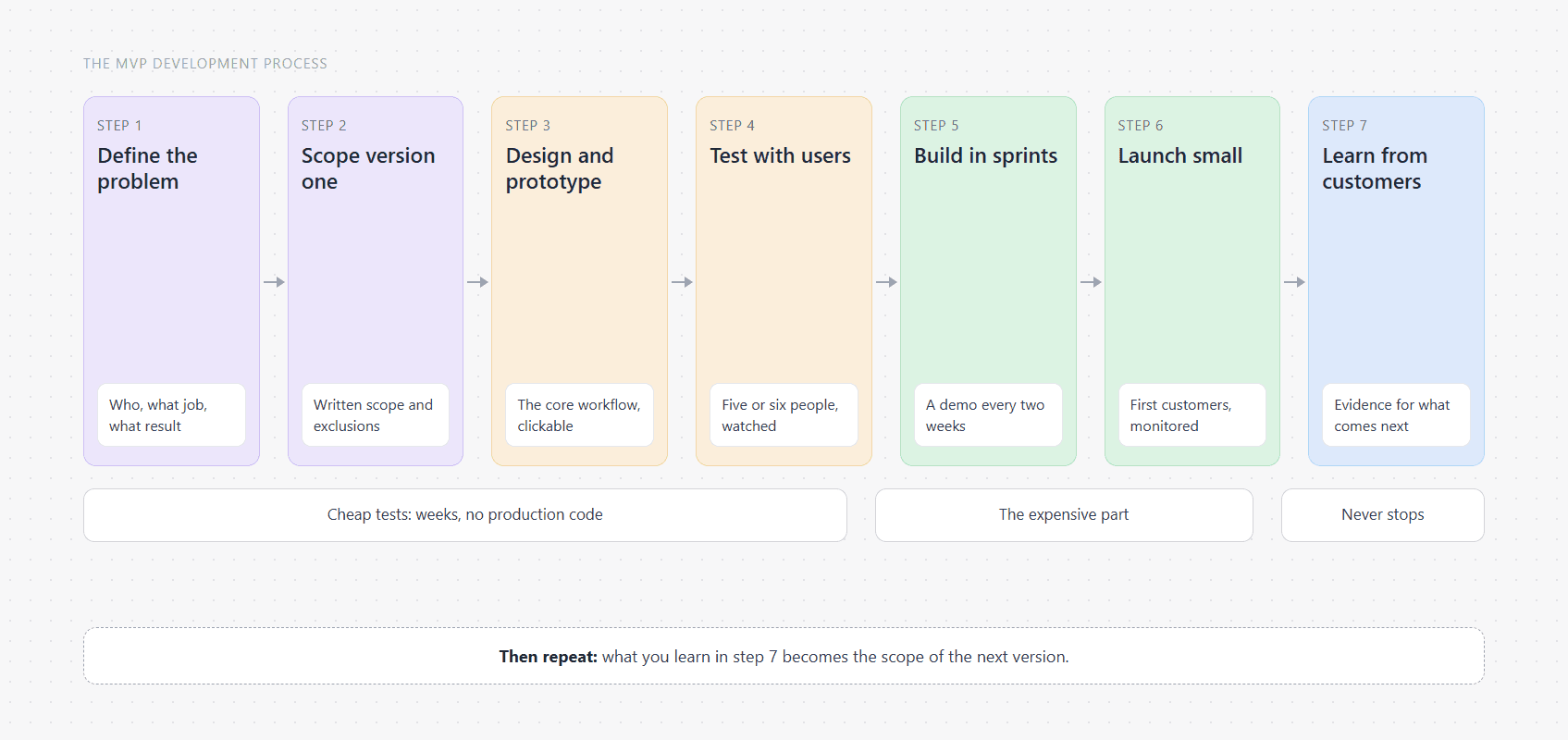
Changes do happen during a build, and sometimes they should, because the demos in the MVP development process teach you things. Under a fixed-price contract, each change gets priced and approved before it's built, which makes every one a decision rather than a drift. Scope is also the biggest lever on what you'll pay, as our SaaS MVP cost guide explains.
How do you test whether you chose the right features?
You test your choices by watching real people, before and after launch. Before building, put a clickable prototype in front of five or six people who have the problem, and see where they get stuck. After launch, watch what customers actually use, and what they ask for more than once.
Two signals are worth more than any others: customers who come back without being reminded, and customers who complain when something breaks. If a feature gets neither, it may not have been needed.
A checklist before you finalise the list
- Can you describe the core job in one sentence?
- Can a customer finish that job without help from your team?
- Can the product take payment on day one?
- Is each customer's data separate from every other's?
- Would a customer refuse to pay without each remaining feature?
- Is everything else written on a "later" list?
If you'd like help cutting a list down, that's the first thing we do on a SaaS MVP development project. Contact us to get started and we'll send back a written scope, exclusions included.
Common questions
How many features should an MVP have?
There's no correct number, but it should be few enough that you can describe the product in one sentence. Most SaaS MVPs are one complete workflow plus the essentials of accounts, billing and monitoring. If the list needs subheadings, it's probably more than one product.
What is the MoSCoW method for MVP features?
MoSCoW sorts features into must have, should have, could have and won't have this time. It's a simple way to run a prioritisation meeting. The risk is that everything becomes a must, so test each must by asking whether a customer would refuse to pay without it.
Should an MVP have a mobile app?
Usually not, unless the product depends on being used on the move or needs phone hardware such as the camera or GPS. A responsive web app works on phones, costs far less and can be updated instantly. Build native apps once customers show they need them.
Should an MVP include analytics?
It should include product analytics for you, so you can see what customers do, but not dashboards for them. Knowing which features get used is the reason an MVP exists. Customer-facing reports are a separate feature, and they can usually wait until someone asks.
What is the difference between an MVP and an MMP?
An MMP, or minimum marketable product, is the smallest version you can sell and market widely, while an MVP is built primarily to learn. In practice a SaaS MVP that charges customers sits close to an MMP. The later stage usually adds polish, onboarding and marketing readiness.
Want something like this built and run in your own accounts? That's what our SaaS Development service does. You can also see everything we build or look through our case studies.